When connecting to public hotspots, understanding network security keys is essential for protecting your data. These keys dictate how your device communicates with the network and determine the level of encryption in use. Without proper knowledge, you risk exposing sensitive information to potential threats. As you navigate through various networks, knowing the differences between security protocols can greatly impact your online safety. Let’s explore the key elements that can safeguard your connection.
Key Takeaways
- Network security keys are essential for accessing hotspots securely, encrypting data to prevent unauthorized interception.
- Always obtain network security keys from trusted sources to ensure secure connections to public hotspots.
- Use WPA2 encryption for robust security when connecting to hotspots, avoiding outdated protocols like WEP.
- Regularly update passwords and follow strong password guidelines to enhance security while using hotspots.
- Consider using a VPN for an additional layer of security when browsing on public hotspots.
What Are Network Security Keys?
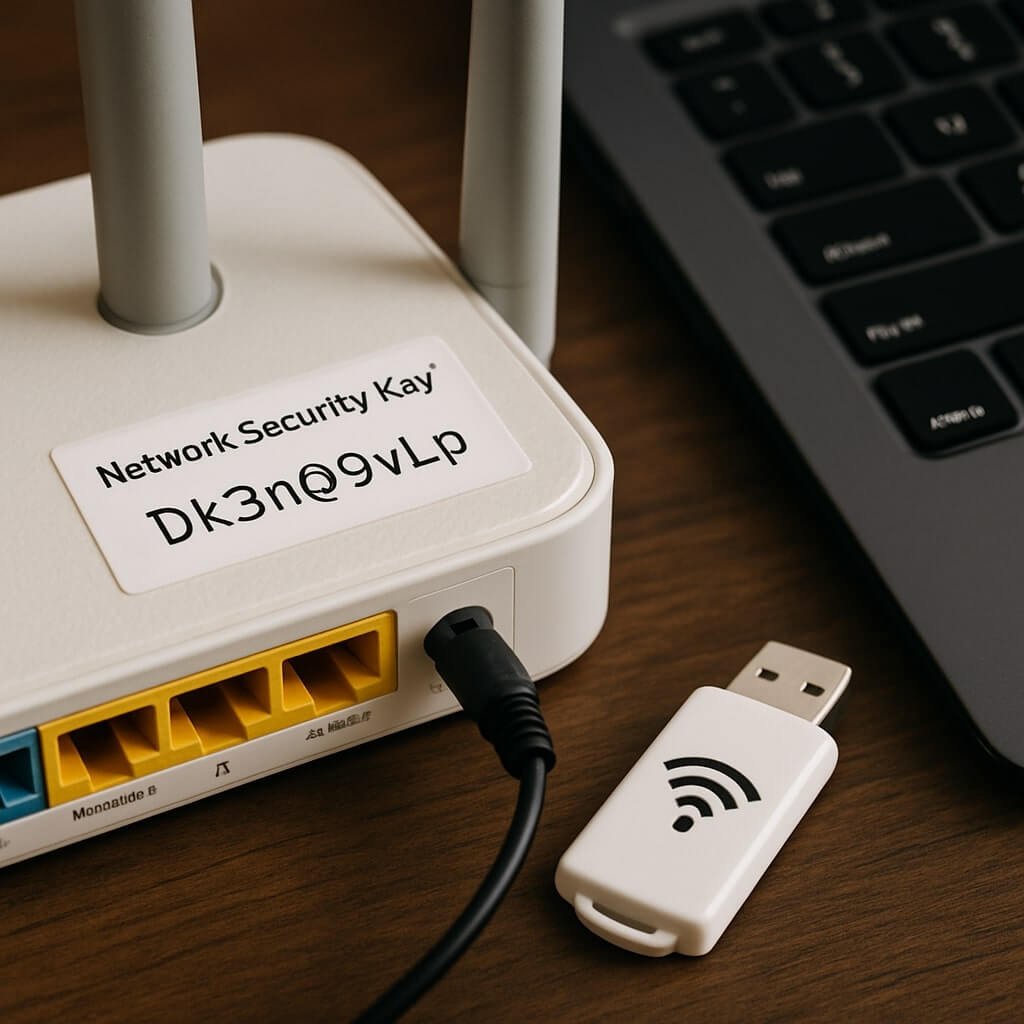
Network security keys are important components of modern digital communication, acting as the gatekeepers to your wireless networks. These keys facilitate secure access by encrypting data transmitted over the airwaves, ensuring that unauthorized users can’t intercept your information.
Proper key management is essential; it involves generating, distributing, storing, and revoking keys to maintain network security. When you connect to a network, the key authenticates your device, enabling secure communication.
Regularly updating your security keys is significant to minimize vulnerabilities, as outdated keys can be exploited by attackers. By implementing robust key management practices, you enhance your network’s resilience against potential breaches, maintaining the integrity of your sensitive data and ensuring a safer online experience.
Types of Network Security Protocols
While understanding the various network security protocols is essential for safeguarding your data, it’s important to recognize how each type functions to protect your network.
WPA2 encryption is currently the standard due to its robust security features, whereas WEP vulnerabilities expose users to significant risks. Implementing VPN usage adds another layer of security by encrypting your internet traffic.
Network firewalls act as barriers, filtering unauthorized access and enhancing overall protection. Regular security audits help identify weaknesses in your network.
Utilizing strong authentication methods and adhering to strict encryption standards further fortifies your defenses. Additionally, password managers can simplify managing complex passwords, ensuring you maintain security without compromising convenience.
Understanding these protocols is critical for effective network security.
The Importance of Strong Passwords
Strong passwords are essential for safeguarding your network against unauthorized access.
By ensuring your passwords have complexity—incorporating a mix of letters, numbers, and symbols—you greatly reduce the risk of breaches.
Understanding this importance is the first step in fortifying your network security.
Password Complexity Matters
When it comes to safeguarding your network, the complexity of your passwords plays an essential role in mitigating unauthorized access.
Password strength is determined by several factors, including length, variety of characters, and unpredictability. To comply with complexity requirements, your passwords should incorporate uppercase and lowercase letters, numbers, and special symbols. This multifaceted approach greatly increases the number of possible combinations, making it exponentially harder for attackers to guess or crack your password through brute-force methods.
Additionally, regularly updating your passwords and avoiding common phrases or easily accessible personal information further enhances security.
Ultimately, adhering to strict complexity requirements guarantees your network remains resilient against potential threats, safeguarding your data and maintaining your privacy.
Preventing Unauthorized Access
To prevent unauthorized access, establishing robust passwords is critical in today’s digital landscape. Weak passwords expose your network to vulnerabilities, allowing intruders to exploit them easily. Strong passwords should combine uppercase and lowercase letters, numbers, and special characters. Consider the following table to assess password strength effectively:
| Password Type | Strength Level | Recommendations |
|---|---|---|
| Simple (e.g., “1234”) | Weak | Avoid using common sequences |
| Moderate (e.g., “abc123”) | Moderate | Use a mix of letters and numbers |
| Strong (e.g., “A7#lqP9z”) | Strong | Incorporate symbols and length |
How to Connect to a Public Hotspot
To connect to a public hotspot, start by locating available networks on your device.
Once you select a network, enter the required network security key if prompted.
Finally, verify the connection is secure to protect your data while browsing.
Finding Available Hotspots
How can you easily find available hotspots in your vicinity? Start by enabling Wi-Fi on your device, which will automatically scan for networks.
Look for a list of available connections; this will show you the hotspot availability nearby. Additionally, mobile apps like Wi-Fi Finder or OpenSignal can help you locate public hotspots by providing a map and details on connection options.
These tools often indicate network strength and user reviews, enhancing your selection process. Remember to check for any limits on usage or additional requirements.
Entering Network Security Key
Connecting to a public hotspot requires entering the correct network security key, often referred to as a password. This key guarantees that only authorized users gain hotspot access, protecting the network’s integrity.
To connect, first, select the desired hotspot from your device’s Wi-Fi settings. If the network is secured, a prompt will appear requesting the network security key. Enter the key accurately, paying attention to case sensitivity.
If you’ve entered the key correctly, your device will establish a connection, allowing you to access the internet. However, if the key is incorrect, you’ll receive an error message, preventing access.
Always obtain the network security key from a trusted source to guarantee both functionality and compliance with network security protocols.
Ensuring Secure Connection
Once you’ve successfully entered the network security key and established a connection, ensuring a secure connection to a public hotspot requires additional precautions.
Public hotspots often expose you to various vulnerabilities, making it essential to take steps to protect your data.
- Use a VPN: A Virtual Private Network encrypts your internet traffic, shielding it from prying eyes.
- Disable Sharing: Turn off file and printer sharing in your device settings to limit access to your files.
- Enable Firewall: Keep your firewall active to block unauthorized access and monitor incoming connections.
Identifying Secure vs. Insecure Networks
While traversing the digital landscape, distinguishing between secure and insecure networks is essential for protecting your data.
Secure network identification involves recognizing networks that utilize strong encryption protocols like WPA3 or WPA2. These networks typically require a password, ensuring only authorized users can access them.
Identifying secure networks with strong encryption, like WPA3 or WPA2, is crucial for protecting your personal data.
In contrast, insecure network recognition includes identifying open networks without encryption, making them vulnerable to eavesdropping and data breaches. Always check for a lock icon next to the network name, which indicates a secure connection.
Additionally, observe the network’s SSID; reputable networks often have professional names rather than generic identifiers.
Being vigilant about these factors markedly enhances your ability to connect safely and securely, safeguarding your personal information from potential threats.
Risks of Using Public Hotspots
Although public hotspots offer convenient internet access, they pose significant risks to your personal data and device security. The vulnerabilities associated with these networks can expose you to serious data theft risks.
When you connect to a public hotspot, be aware of the following:
- Eavesdropping: Cybercriminals can intercept your data transmissions, capturing sensitive information like passwords and credit card details.
- Man-in-the-Middle Attacks: Attackers can position themselves between your device and the hotspot, manipulating communications without your knowledge.
- Malware Distribution: Insecure networks can serve as platforms for distributing malicious software, compromising your device’s integrity.
Understanding these risks helps you navigate public hotspots more cautiously, protecting your information from potential threats.
Stay vigilant and prioritize your data security.
Tips for Safe Browsing on Public Networks
When connecting to public networks, implementing safety measures is essential to protect your personal data.
First, always verify that you’re connecting to legitimate hotspots to avoid malicious duplicates. Use HTTPS websites whenever possible, as they encrypt your data during transmission, ensuring safe browsing.
Disable file sharing and avoid accessing sensitive accounts, such as banking or personal emails, while on public networks. Regularly update your device’s software to patch vulnerabilities that could be exploited.
Additionally, consider using browser privacy settings to limit tracking. Finally, remember to log out of accounts after use, further securing your information against unauthorized access.
Using a VPN for Enhanced Security
A VPN, or Virtual Private Network, serves as an important tool for enhancing your online security, especially on public networks. By encrypting your internet connection, it shields your data from potential threats.
Here are some key benefits and limitations to take into account:
- VPN Benefits: Protects your sensitive information, masks your IP address, and allows access to geo-restricted content.
- VPN Limitations: Can slow down your internet speed, may not bypass all geo-restrictions, and mightn’t protect against all types of malware.
- User Responsibility: You must choose a reputable VPN provider to guarantee maximum security and privacy.
Using a VPN can greatly bolster your security, but understanding its limitations is vital for ideal protection.
Always weigh the pros and cons before connecting.
Troubleshooting Connection Issues
Connection issues can arise unexpectedly, disrupting your online activities and leading to frustration. When facing problems with hotspot connectivity, start with basic connection troubleshooting.
First, make certain your device is within the hotspot’s signal range. Weak signals can cause intermittent connections.
Ensure your device is within the hotspot’s signal range, as weak signals can lead to unstable connections.
Next, verify that you’ve entered the correct network security key; an incorrect key will prevent access.
If issues persist, restart both your device and the hotspot, which can resolve temporary glitches.
Additionally, check for firmware updates on your hotspot, as outdated software can impact performance.
If you’re still experiencing problems, consider forgetting the network and reconnecting, which can refresh the connection.
Best Practices for Maintaining Privacy Online
Although many people underestimate the importance of online privacy, adopting best practices can greatly enhance your security.
To maintain your anonymity and protect your data, consider implementing the following strategies:
- Use anonymity tools: Services like VPNs or Tor can mask your IP address, making it harder for third parties to track your online activities.
- Install browser extensions: Extensions such as HTTPS Everywhere and Privacy Badger enhance your browser’s security, blocking trackers and ensuring encrypted connections.
- Regularly update software: Keeping your operating system, browsers, and extensions updated minimizes vulnerabilities that hackers might exploit.
Conclusion
To guarantee your safety while using public hotspots, understanding network security keys is essential. Always verify the legitimacy of networks and use strong passwords to safeguard your data. Implementing a VPN can provide an additional layer of protection against potential threats. By following best practices for connecting to public Wi-Fi, you not only enhance your online security but also maintain your privacy. Stay vigilant and informed to navigate public networks securely and effectively.